
Trading
There are two ways to move items between players in Mu Online: a direct, face-to-face trade, and a public Personal Store that keeps selling even while you hunt. Here is how both work — plus the taxes and the Gremory Case where your sales land.
Private Trade
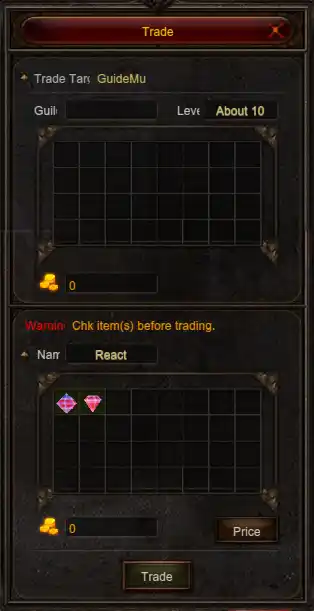
There are two item-trading methods in Mu Online: direct player-to-player exchanges and public storefronts. A private trade is the direct exchange between two players.
Trade Initiation Methods
Method #1: Press D, select Trade, then right-click the target player.
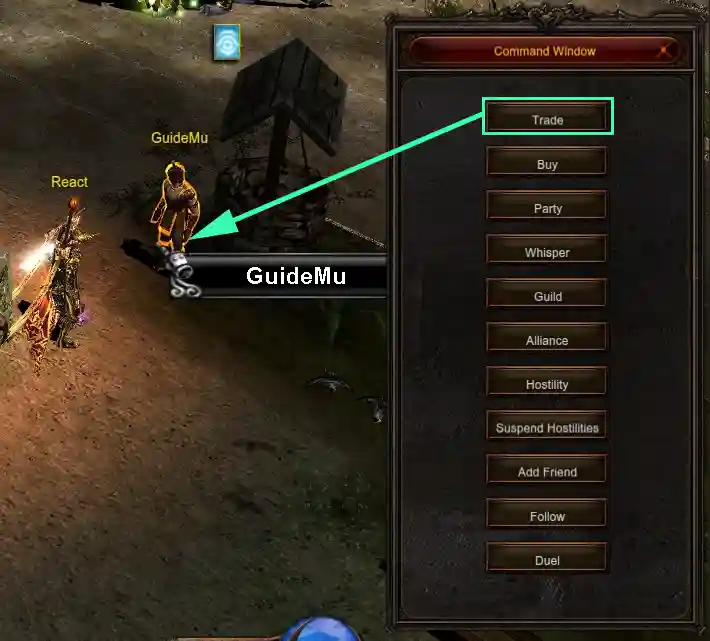
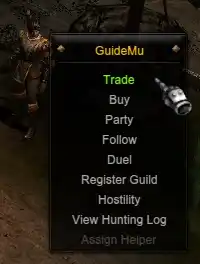
Method #2: Hold ALT and right-click the player, then select Trade from the menu.
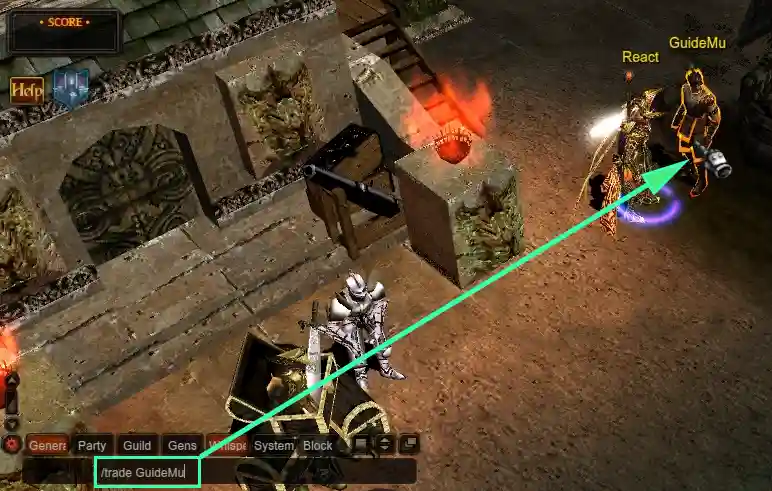
Method #3: Press ENTER to open chat and type /trade [playername] while hovering over the target.
Trade Interface Features
- Maximum 999,999,999 Zen per transaction
- View the other player's character, level and guild details
- Requires a character of level 6 minimum
- Both players need sufficient inventory space
Personal Store
Access it with the P key to buy and sell items publicly — your store keeps trading even while you are away from the keyboard.
Browsing Stores
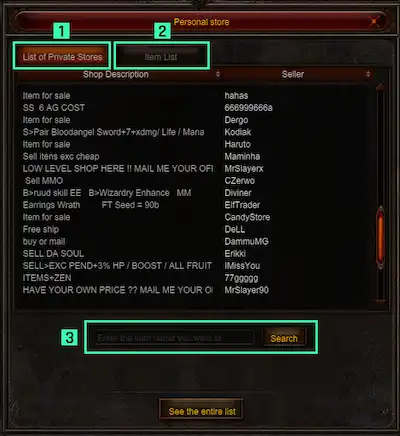
- View all player stores and their inventories
- Search functionality is available
- Purchase individual items or bundles
Buying
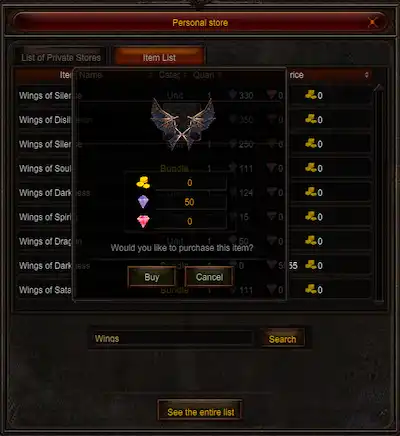
Items you purchase arrive in your Gremory Case.
Selling
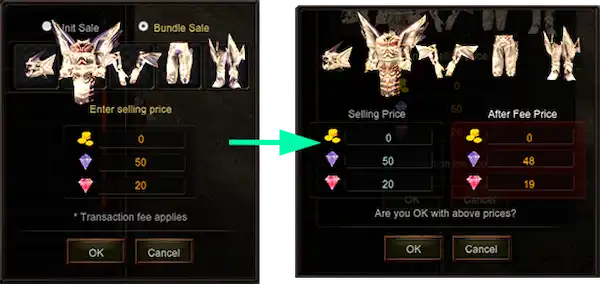
Open your store via the Inventory + Personal Store button, or with V+S or I+S.
Pricing and Taxes
Currency options include Diamonds, Jewel of Bless and Jewel of Soul.
- Tax on Diamonds is 1% of the total amount exchanged
- Tax on Jewels is 3% of the total amount exchanged
- Minimum tax threshold: 17 Jewels
Offline Store (/offtrade)
You don't have to stay online to keep selling. Set up your Personal Store with items and prices but do not open it — instead type /offtrade. Your character remains in the world as an offline vendor, so the store keeps trading even after you close the game.
/offtrade)The offline store system is currently turned off on this server.
Gremory Case
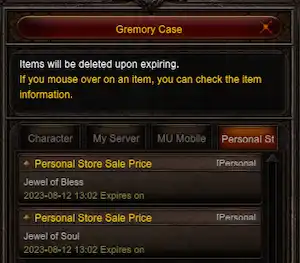
Access it with the K key. It holds a maximum of 150 items, each with a 7-day expiration.